

Supabase Image Linker UI
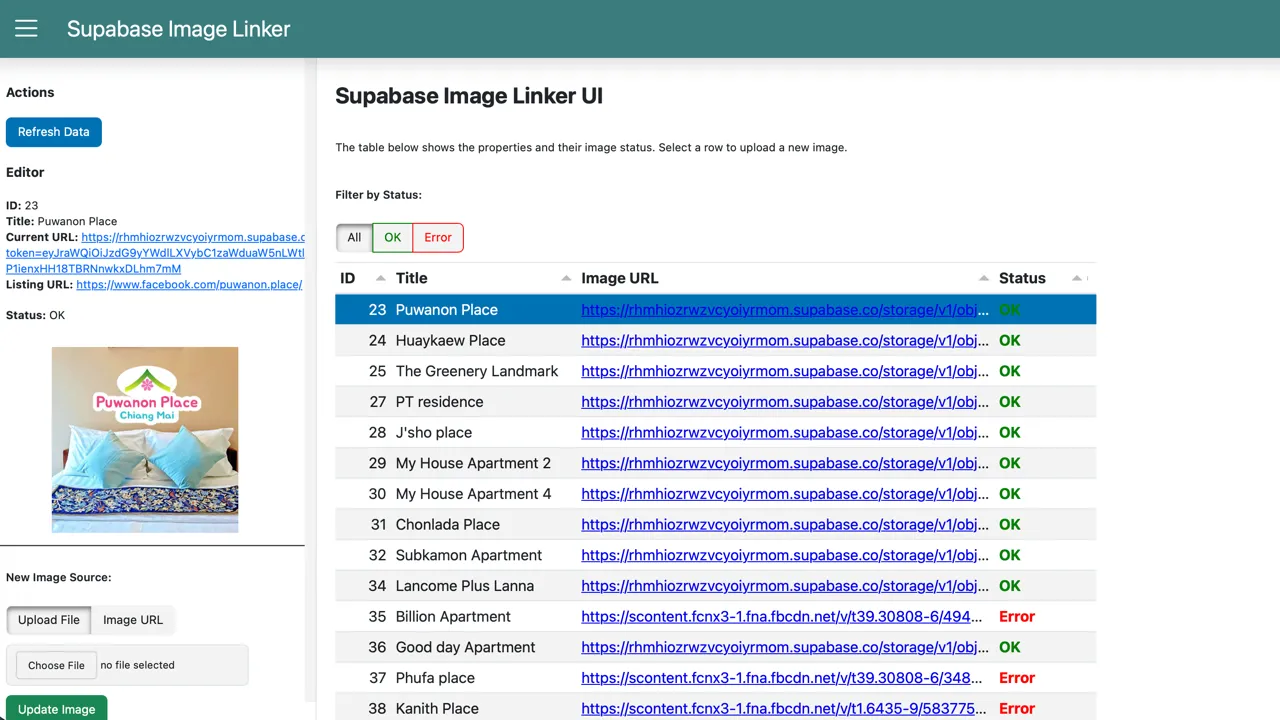
Panel web application serving as a UI for managing images in a Supabase project. Allows to upload images and automatically link them to a record inside a database table, offering links validation and image optimization as well. Works fully locally.
Technologies Used
Context
While building CM Rentals, I kept running into an annoying workflow for managing property images:
- Save image from some source (Facebook listing, provided file, wherever)
- Upload to Supabase Storage through their web UI
- Generate a signed URL (with some expiration date)
- Copy that URL back to the database record
Repeat this dozens of times.
And if I skipped steps two and three by using URLs from external sources like Facebook? Those expire after some time, forcing you to do it all over again.
Tedious enough that I decided to build a tool to handle it.
Solution
A web application that streamlines the entire image management workflow. It shows all records, flags which ones have broken images, and lets me fix them quickly.
What It Does
- Dashboard view - all records with their current image status (working/broken), so your user won’t be the first to notice a broken image link
- Parallel URL checking - validates all image URLs on load, fast enough to be usable
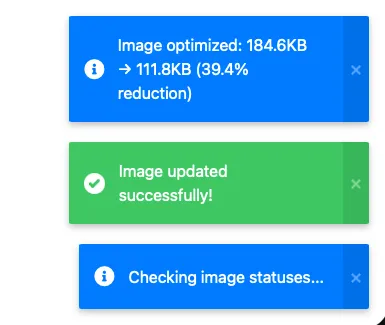
- One-click updates - upload a new image (file or URL), it gets optimized, uploaded to Supabase, signed URL generated, database updated. Done. (Okay, maybe three clicks - but still far less than doing it manually.)
- Automatic optimization - images get resized and compressed (50-80% size reduction typical, can be less if the image was pre-optimized already)
The Configuration-Driven Part
This started as a solution for my specific pain point, but I realized I can’t be alone in this. So I built it to be universal - it works with any Supabase table.
All table names, column mappings, and settings live in a single config file. Different use case? Just change the config, no code modifications needed.
Future plans: UI-based configuration, so you won’t need to touch config files at all - just fire up the app and work from there.
Privacy Considerations
This app runs locally - it’s not a third-party service you access through a browser. Your Supabase credentials stay on your machine, never shared with anyone.
Why Panel Instead of Streamlit?
I’m primarily a Streamlit user, but I chose Panel for this project to expand my toolkit. Panel gives more control over layout and styling, handles complex UI states better, and has a proper reactive programming model. Good to have another tool in the belt.
Real-world Application
This is essentially image asset management - a common need:
- E-commerce products need photos
- User profiles need avatars
- Content management systems need media
- Property listings need images
The patterns are the same: validation, upload, optimization, URL management. The configuration-driven architecture means this tool can adapt to any of these use cases.
It’s also a CRUD app at the same time - uploading files to Storage, retrieving data from the database, and running Updates.
Professional Takeaways
- Configuration-driven design - making tools reusable without code changes
- Parallel processing - using ThreadPoolExecutor for concurrent URL validation makes a real difference in UX
- Image optimization - finding the right balance between quality and file size
- Service layer architecture - clean separation between UI and business logic makes the code much more maintainable