
PK Data Solutions Portfolio
A modern, responsive portfolio website built with Astro, Vue.js, and Tailwind CSS. Features content-driven architecture and i18n support, serving the content in two languages.
Technologies Used
Context
Building solutions is one thing. Building an online presence that showcases what you can do? That’s another challenge entirely. So I decided I need my own website.
As a “data guy,” building visually polished websites isn’t my main cup of tea. But I do claim full-stack capabilities - so why not build a robust site for myself?
Solution
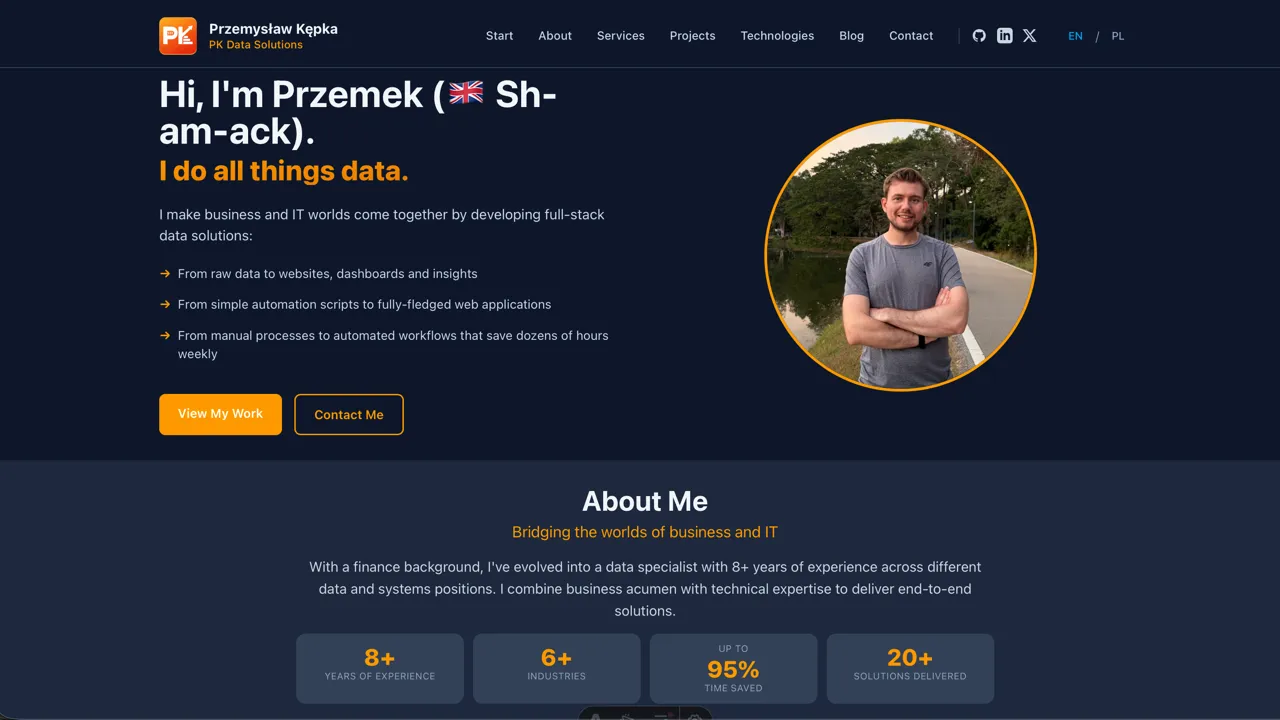
The website you’re looking at right now is the result.
Building process
Planning & Research
Before writing a single line of code:
- Research - I checked dozens of websites from other professionals (potential competitors, even) to decide on content and functionality
- Vision document - I described how I envision the website: design, layout, and the logic behind each section
- PRD generation - Based on my vision, Claude Code prepared a detailed PRD document
Note: no tech stack decisions yet at this point - that came later.
Development
With the PRD ready, the coding could begin:
- Setup - I set up the base Astro project myself
- Code generation - Claude Code generated the initial code based on the PRD
- Iteration - From there, it was an iterative process of improving and implementing features
The Reality of Content-Heavy Sites
So AI just built you a website in one day? I wish. It wasn’t that simple:
- Writing - Even with samples of my writing, AI-generated content rarely matched my voice. Detailed project descriptions meant a lot of writing on my end
- Visuals - Instead of AI-generated images, I used real screenshots or created mockups where actual photos weren’t available
- Effort - Even leveraging LLMs heavily, creating a website I’m genuinely pleased with took real work (and being pleased with it is a requirement)
Why Astro?
The AI had a lot of context before starting - not just my vision for the website, but also my broader plans and the technologies I know and want to learn.
I had heard about Astro before, and it looked like a perfect fit.
Its “content-first” philosophy aligns with the volume of content I have here, growing over time with new projects and blog posts. Since the site is mostly static (project descriptions, blog posts, about page), I don’t need a heavy JavaScript framework. Astro generates static HTML, which means fast loading and good SEO.
But I still wanted some interactivity - the project filters, for example. That’s where Astro’s “islands architecture” comes in: I can use Vue components where I need them, and they only load JavaScript when necessary. This also aligns well with my upcoming projects, where Vue will be used extensively.
The Stack
- Astro for the core framework and static generation
- Vue for interactive components (project filtering, etc.)
- Tailwind CSS for styling
- Markdown for all content - each project is a
.mdfile with frontmatter for metadata
Content Architecture
Each project lives as a Markdown file:
src/content/projects/
├── cm-rentals.md
├── entity-report.md
├── temperature-monitoring.md
└── ...
This makes it easy to add or edit projects - just update the Markdown file, no database needed. The frontmatter handles all the metadata (technologies, categories, project type, etc.), and Astro’s content collections give me type-safety.
Real-world Application
Building this site was essentially a frontend engineering project:
- Component architecture and reusability
- Responsive design (mobile-first)
- Content management without a traditional CMS
- Deployment and hosting considerations
Professional Takeaways
- Astro is great for content-heavy sites - the static generation is fast, the content collections are elegant, and you can add interactivity where needed
- Building your own portfolio forces clarity - you have to actually articulate what you do and what value you bring
- Full-stack means full-stack - being able to go from Python data work to modern frontend development is genuinely useful