

Financial Data Reconciliation Tool
Company:
 JLL
JLL
Python automation for reconciling financial data across multiple enterprise systems, replacing a tedious Excel-based process prone to crashes and errors.
Technologies Used
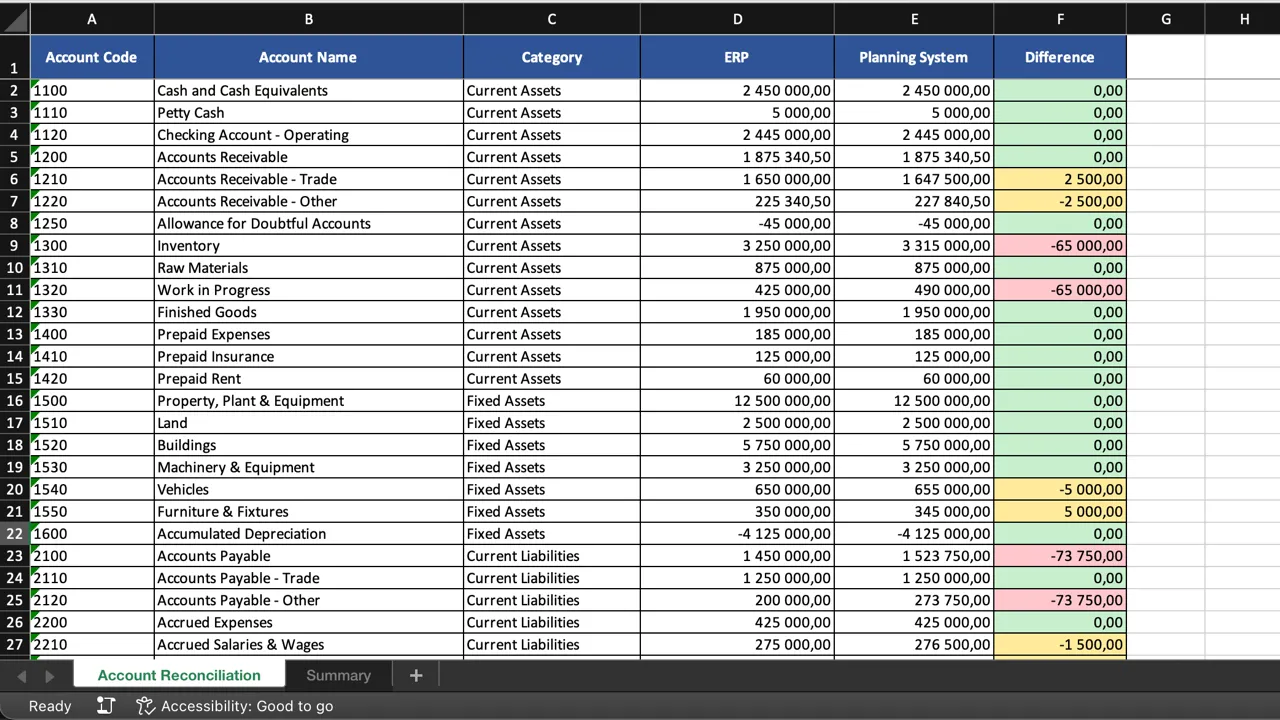
Due to NDAs, no real screenshots or code can be shown for corporate projects. Instead, mockup scripts were created to generate images resembling the original projects.
Problem Definition
“Do the numbers match?”
That’s the fundamental question in data reconciliation. And when you’re dealing with multiple enterprise systems, getting to the answer can be surprisingly tedious.
In large organizations, financial data travels quite an extensive journey:
- It starts in the ERP system, where accounting transactions originate (Oracle PeopleSoft Financials)
- Then flows to a separate system for Planning and Analytics (IBM Planning Analytics)
- Another system handles Budgeting (ePBCS)
- And yet another manages Financial Consolidation (OneStream)
With such a long road, things can go wrong along the way. A transaction goes missing somewhere, creating a discrepancy that needs to be tracked down and fixed.
Three systems required regular reconciliation (the ERP and Planning Analytics systems were always in sync). But how was this done? Well, the process was rather… challenging:
- The systems could be accessed directly through browser apps, but that meant manual exports
- But all systems had Excel add-ins, allowing data to be pulled directly into spreadsheets
- So Profit & Loss Statements (or Balance Sheets) would be retrieved from each system
- Then came the tedious part: going account by account, checking if numbers matched or noting discrepancies
- Meanwhile, Excel would constantly crash under the strain of running three add-ins simultaneously, making VBA macros unreliable as well
Manually reconciling data—marking rows green or red one by one—was neither efficient nor pleasant.
Solution
I built a Python script (rather a simple one to be honest) to automate the comparison entirely.
The script would:
- Load exports from two systems (Excel files with specific structures)
- Compare amounts for each account and entity combination, handling rounding properly
- Generate a clean summary of all discrepancies: Account, Entity, Amount in System A, Amount in System B, and Difference
- Produce a highlighted version of the original file preserving the familiar format, but without the manual work
This approach maintained compatibility with the existing workflow while introducing a cleaner discrepancy tracking method—free from the burden of heavy add-ins.
Impact
Speed — What used to require significant manual effort now completed in seconds. Load the files, run the script, get your discrepancy list (of course that would not be the end of the process, rather a beginning of new one, explaining this particular discrepancy).
Accuracy — No more human error from staring at thousands of rows and hoping nothing was missed.
Documentation — Discrepancies were automatically logged in a shareable format, not just highlighted cells in a spreadsheet that might get closed without saving.
Professional Takeaways
- Automation excels at rule-based, repetitive tasks — Comparing numbers across systems is a textbook example
- Sometimes the tool itself is the bottleneck — Excel crashing under load was the catalyst for finding a better approach
- Personal efficiency has value — Even if colleagues don’t adopt your scripts, the time saved in your own work justifies building them (I created this during my final months at the company and shared it, though I’m not sure how widely it was adopted after I left)