
Report Automation Framework
Company:
 Santander Bank Poland
Automated generation of a comprehensive C-level Credit Risk report, replacing a semi-manual Excel-based process and significantly reducing the time required from days to hours.
Technologies Used
Due to NDAs, no real screenshots or code can be shown for corporate projects. Instead, mockup scripts were created to generate images resembling the original projects.
Problem Definition
“Can you bring this to Excel?” “Can we have it as PowerPoint slides?”
These words might be like a nightmare in the data world, haunting many people. But sometimes we don’t really have an impact on that, for instance due to some formal or regulatory reasons.
However, what we do have an impact on is how we generate these slides (or Excel files, but in this case it will be the slides).
And one of the biggest slide decks I have encountered was a comprehensive, C-level summary report of all risk information for the Polish branch of the bank, created by Credit Risk department on a monthly basis. Dozens of pages of PowerPoint slides, packed with charts and tables.
And how to create it? The process was already semi-automated, Excel-based:
- Source data would come from SQL database and other Excel files
- Then this data would populate many sheets in this one, central Excel file
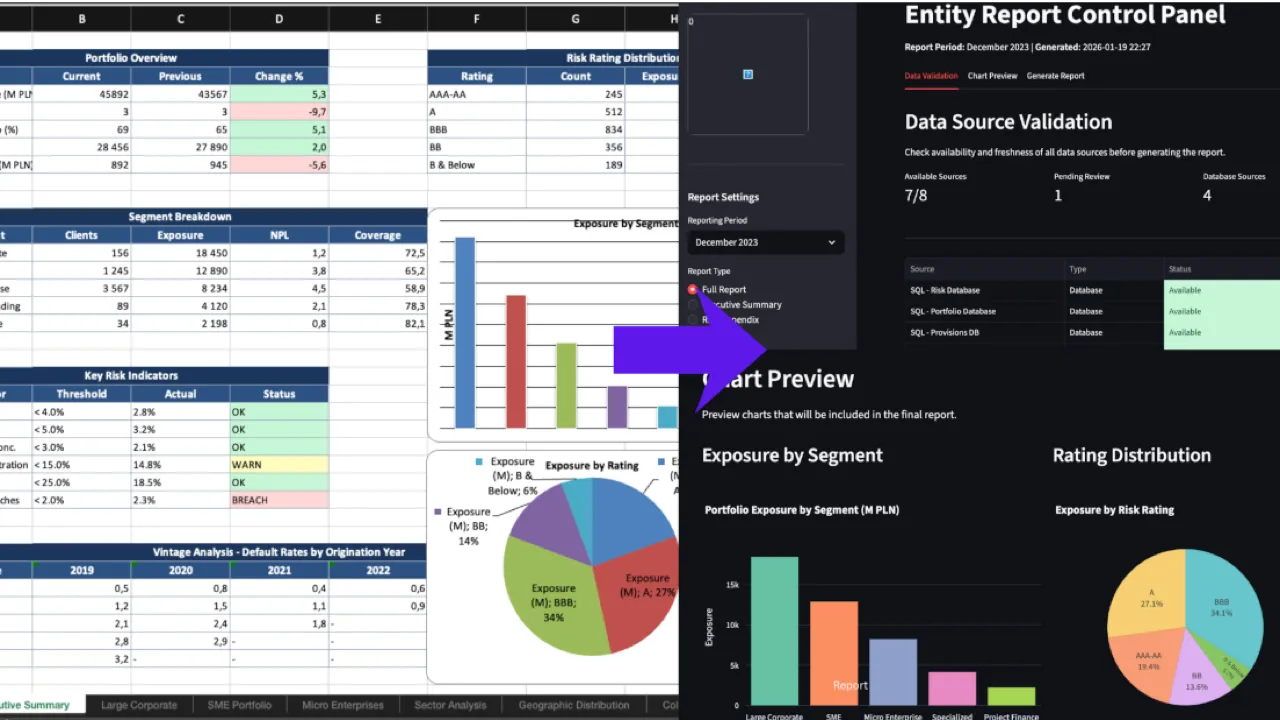
- Based on loaded source data, charts and tables were generated inside the Excel file
- And then VBA macros would generate PowerPoint file, taking tables and charts created in the Excel file
Does not sound that bad? Could be worse, that’s true, but it still had some pain points:
- Only part of the whole process was covered by the centralized Excel file
- Besides charts and tables, there was way more content to be added to the slides themselves, as well as pre-made slides to be integrated as a whole deck, so a lot of manual work was still required
- Checking the availability of source data or running the whole process in separate, modular parts was not really possible
- And the maintenance of VBA macros wasn’t the most pleasant experience
- So in the end, the entire process took days to complete
Solution
My responsibility was to overhaul the entire process and create a Python-based solution. The key requirement was simple: a less technical team member should be able to generate the report themselves, without needing to understand the Python code.
And the rest? How to implement it? Well, it was left for my fantasy…expertise I mean, of course.
And what I’ve built together with my coworkers was:
-
Data layer connecting to multiple SQL databases and processing Excel files, checking data availability in the first place as well

-
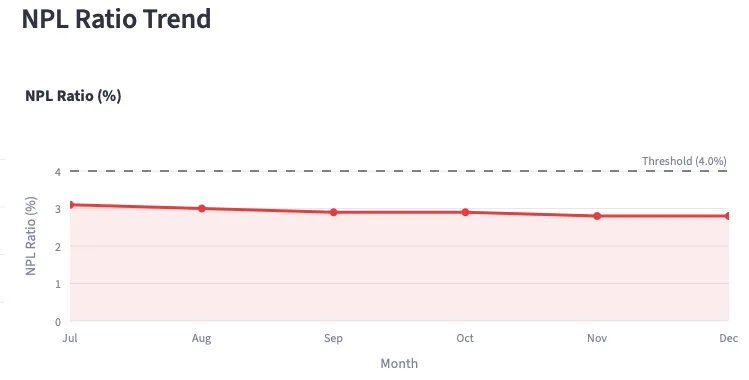
Visualization engine generating dozens of charts with Plotly, exported as images
-
Report generator using
python-pptxto create and manipulate PowerPoint slides, including dynamic slide creation and table generation

-
Streamlit “Control Panel” - a user-friendly interface wrapping everything together and guiding users step-by-step through the process
The interface was crucial - it made the whole thing accessible to non-technical users who just needed to click through the steps.
Impact
Time savings - a reduction from up to a few days to hours, or just 1-2 days.
It was still not a 100% fully automated process, as there was a need for human involvement anyway, like Subject Matter Experts confirming the final content of the slides, or the requirements or source data would change over time, but it was a very significant reduction of manual work required.
Process modularity and reliability - the process flow became clearly defined now, with an ability to resume the process not from scratch all the time, but from a selected module
Promoting internal collaboration: The project was developed openly, shared among Python enthusiasts across the department. Team members from other areas voluntarily contributed when their backlog allowed, promoting a culture of sharing internally developed solutions across teams.
Professional Takeaways
This project was also a significant milestone in my professional development:
- First large-scale Python application - somewhere between 10k-20k lines of code, the biggest thing I had built at that point
- Learned proper modularity - moved from single-file scripts to actual project structure with modules and packages
- First real use of classes - finally applied OOP in a meaningful context
- Team leadership - Responsible for managing interns and junior analysts working on parts of the project