

Bank Statement Processing Automation
Company:
 Ascensia Diabetes Care
Python automation that transformed manual bank statement processing from hours of copy-paste work to minutes of automated document generation, saving up to 95% of work time.
Technologies Used
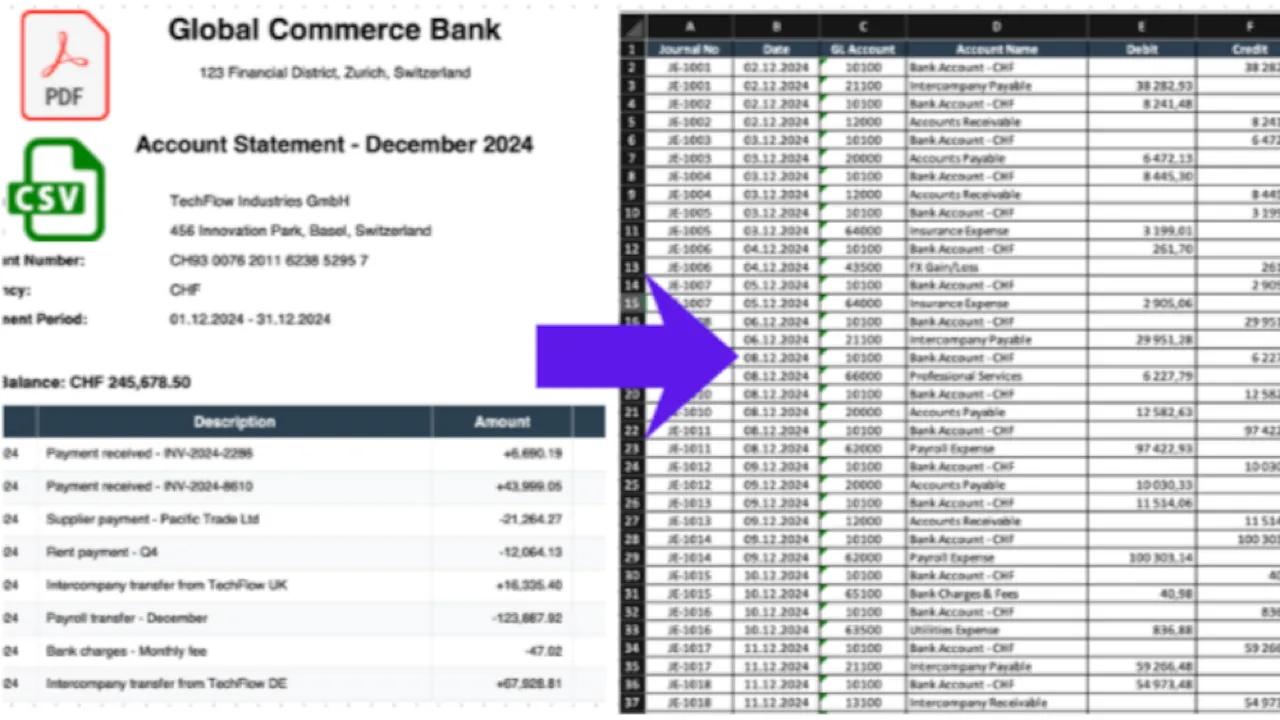
Due to NDAs, no real screenshots or code can be shown for corporate projects. Instead, mockup scripts were created to generate images resembling the original projects.
Problem Definition
Processes in Accounting and Finance might quite often include a significant amount of manual overhead. Many systems, many files being moved around. And this means that accountants, instead of focusing on core work requiring real domain knowledge, will spend their time on tedious tasks like just copying and pasting data between files and systems.
And my task, processing bank statements, was no different:
- Going through PDF bank statements (sometimes dozens of pages)
- Manually copying transaction data
- Creating an accounting document (journal entries) in Excel
- Uploading the final CSV to the NetSuite ERP system
So this was an extremely manual process.
For just a few pages it wouldn’t be that terrible, but for statements with hundreds of transactions, this meant hours of literal copy-paste work.
And the process was entirely rule-based: incoming payments mapped to specific debit/credit accounts, outgoing payments to others, with only occasional exceptions needing subject matter expertise.
Solution
So I’ve decided to attempt building an automation for that. But I didn’t know how to program yet - I was only trying to follow some programming tutorials on Python some time ago, but didn’t really have any practical cases of my own, so the learning was not going so well.
So this actually became a perfect opportunity to start my technical journey, learning a new skill in a practical way, solving a real problem.
How It Worked
Input Processing
- Read bank statement CSV files (initially extracted from PDF, later directly from bank)
- Parsed transaction details: amounts, dates, client names, transaction types
Intelligent Categorization
- Applied rule-based logic to categorize each transaction
- Mapped transactions to appropriate GL accounts based on type
- Handled incoming vs. outgoing payments differently
- Identified special cases (refunds, loans, bank charges)
Output Generation
- Created properly formatted CSV files for NetSuite import
- Generated both header and line files as required by the ERP
- Applied proper date formatting and account mappings
- Included memo fields with transaction details for audit trail
Impact
Time Savings: Up to 95% reduction in processing time
- What took hours now completed in minutes
- It came very handy especially during year-end closing (the busiest period), where there were extremely long bank statements coming, and without automatic solution it would be a huge bottleneck, with the worst timing possible
- And the only manual part left was only to verify a few potential edge-cases (so what was not rule-based, but rather judgment-based, requiring business knowledge)
Cultural Shift: Additionally, this solution has sparked some curiosity among my colleagues about automation and programming
Professional Takeaways
This project was basically my breakthrough moment - kind of a “founding story” for my professional data career, where I have seen a real value that my solutions can bring.
It also reinforced key lessons:
- Learning by doing - no tutorials, just a real problem to solve
- Business value of automation - even basic scripts can save significant time